

What's new in TrayTrack
v1.3
February 13, 2026
Alarm-Style Break Reminders
Break reminders can now appear as alarms instead of notifications. This is the new default and can be configured in the options menu when setting a break reminder. You can switch back to notification-style reminders at any time.
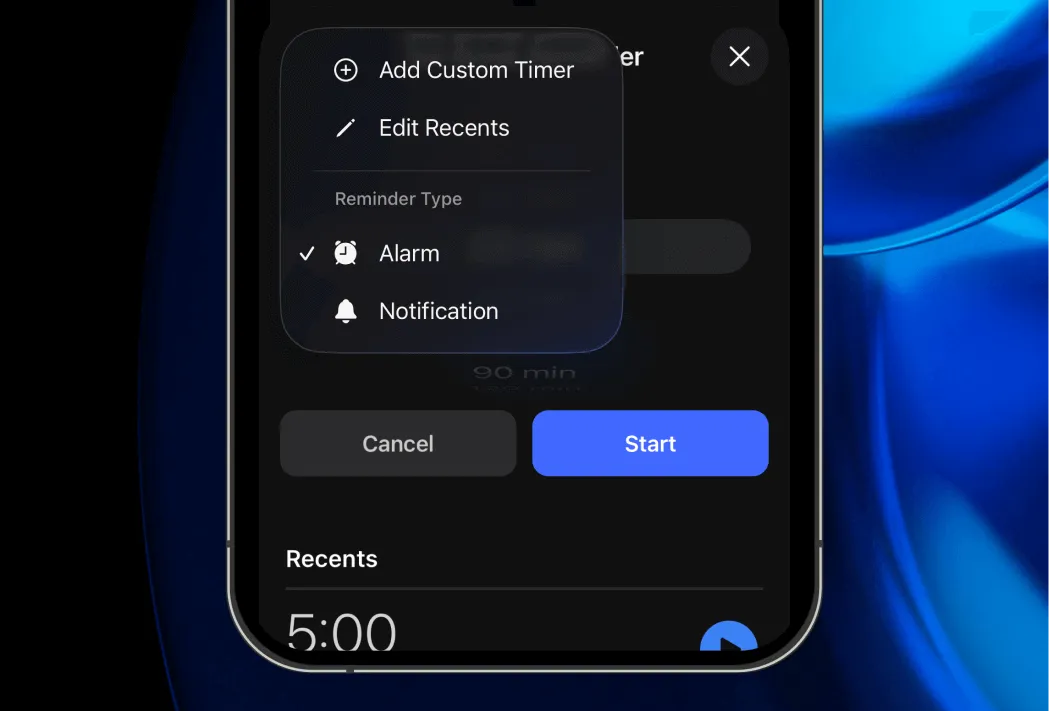
The alarm option is only available on iOS 26 or newer.
Watch App
Major improvements to the Apple Watch experience:
- Add Break: Forgot to track a break? You can now quickly log one retroactively. Tip: this is also possible on iPhone by tapping the break budget circle.
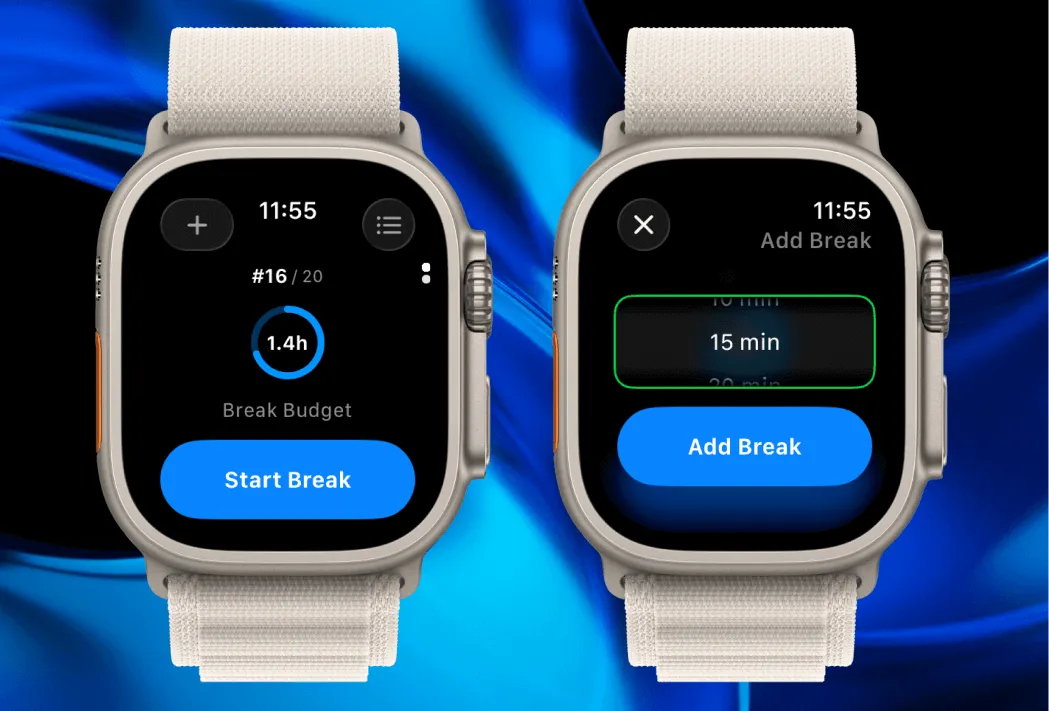
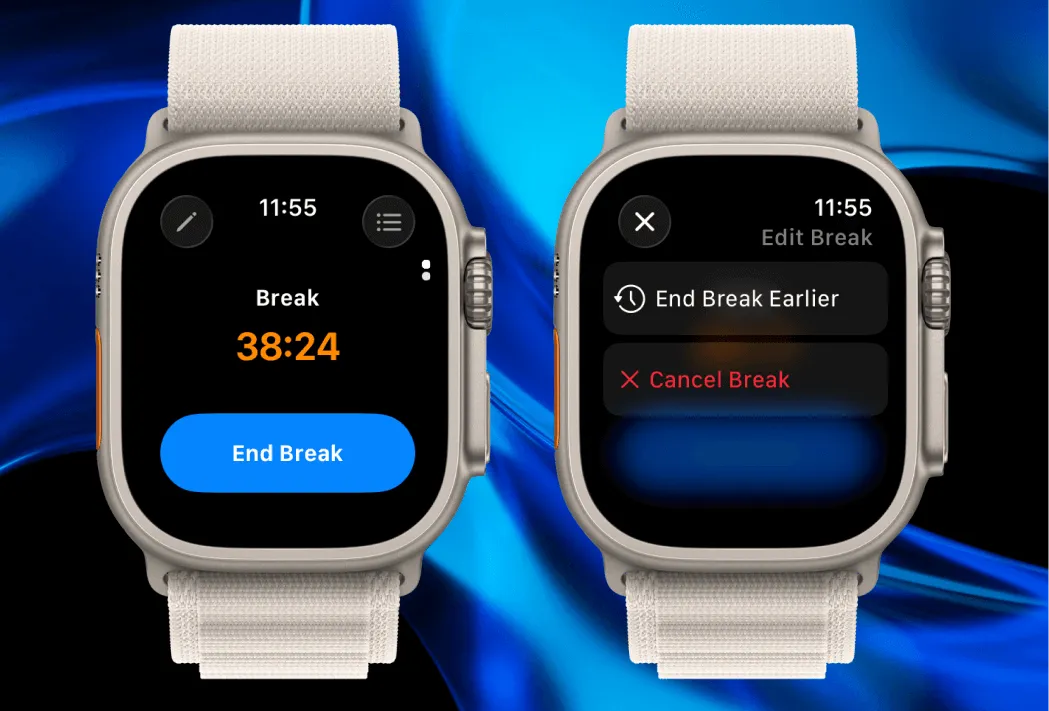
- End Break Early: Forgot to end a running break? You can now end it at an earlier time, similar to iPhone.
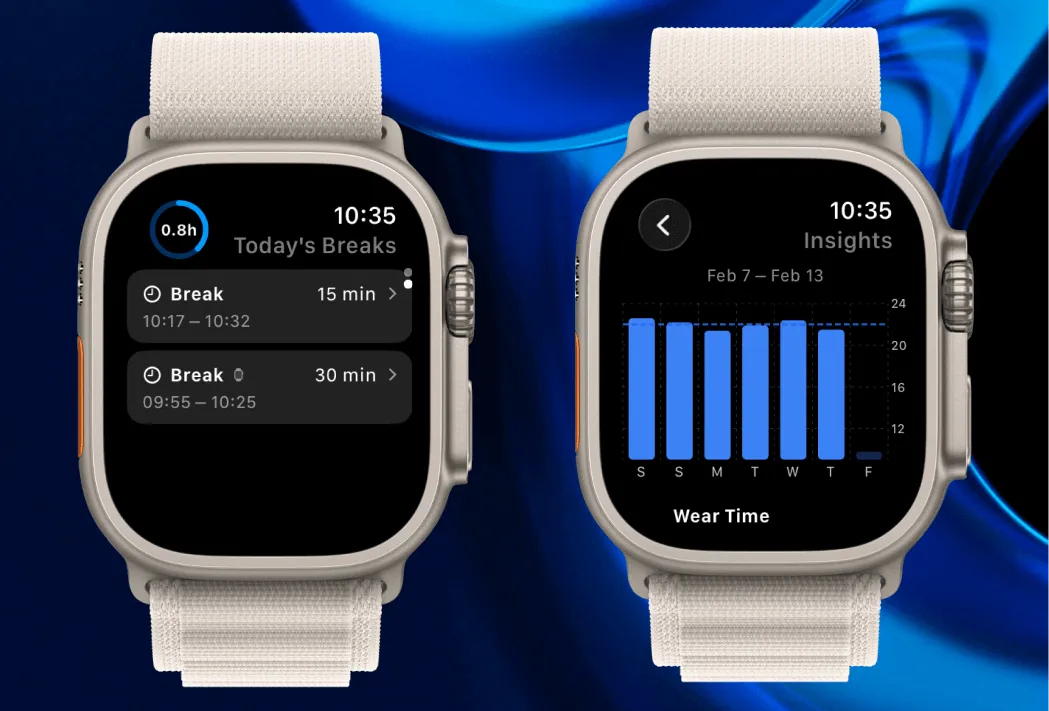
- Today’s Breaks: Scroll down on the watch home screen to see and edit today’s break logs.
- Timeline: View the full timeline of all trays, same as on iPhone.
- Insights: Get a quick glance at your last 7 days of stats.
Other improvements
In addition to fixing various bugs, the new version also includes:
- The over-budget color was changed to a subtler shade of orange, so it’s easier to distinguish from a running timer at a glance.
- Improved formatting of break durations. Seconds are now only shown for breaks under a minute.
- Progress photo reminders now send follow-ups if you miss the initial reminder.